
Price Books
TL;DR: Price Books allow you to create and manage pre-built rates that can be applied directly to BOQ items in your project. They ensure consistent pricing, reduce repetitive manual entry, and standardize costing across your organization.
Overview
A Price Book in AedisPro is a reusable library of:
- Standard work items
- Unit rates
- Cost breakdowns (Labour, Material, Plant, Overheads, Margin, Contingency, Tax)
- Measurement units
- Item codes and descriptions
Once created, Price Books can be applied to any project, enabling fast, consistent, and error-free pricing. Instead of entering rates manually for each BOQ item, you simply select an item from your Price Book, and the pricing is populated automatically.
Price Books are especially useful when:
- Working across multiple projects with similar scope
- Ensuring company-wide standard pricing
- Preparing tenders based on repeatable rate structures
- Maintaining a "master library" of construction costs
Accessing Price Books
From the main sidebar, select Price Books.
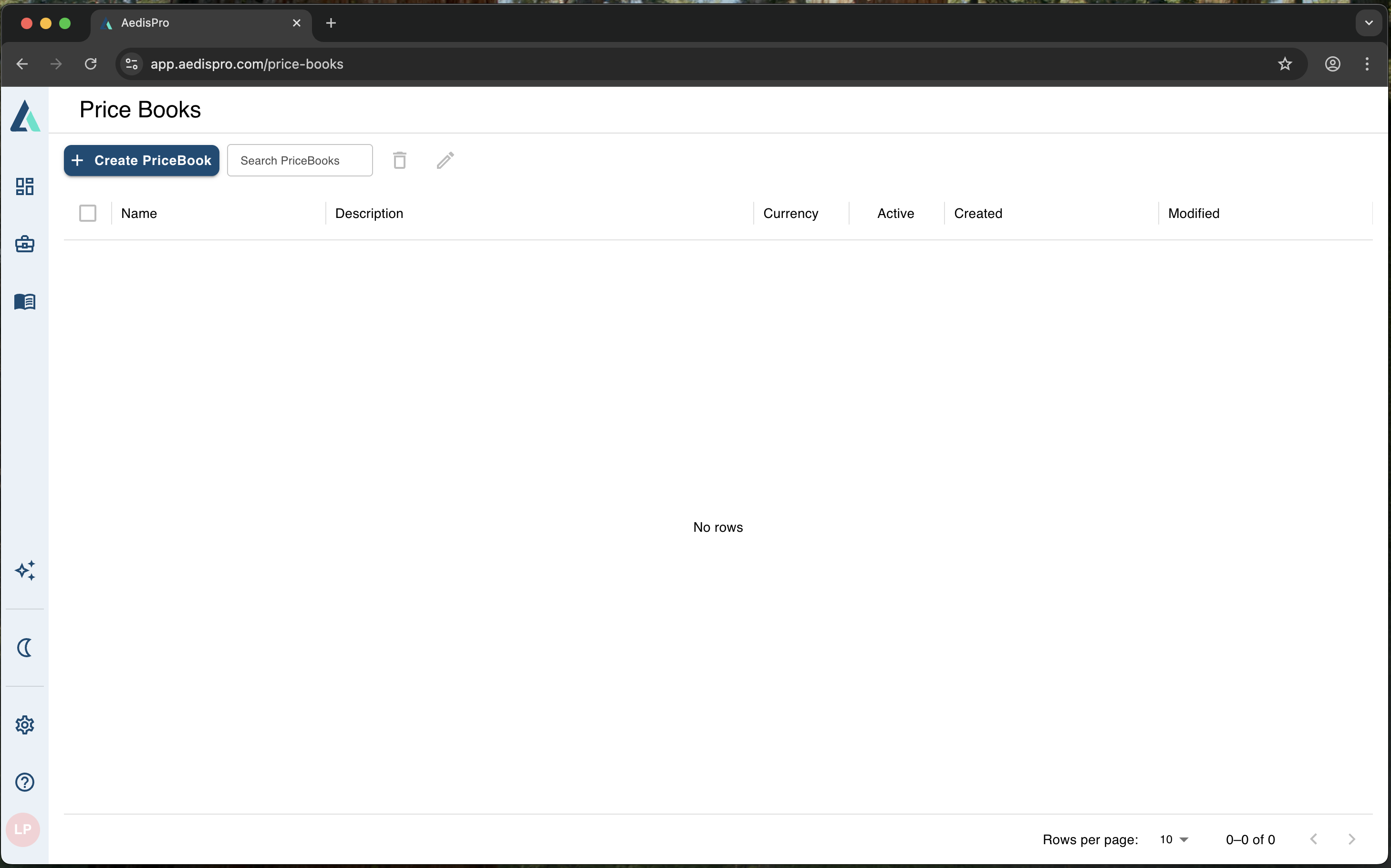
Price Books listing screen - your central pricing database
You'll arrive at the Price Book listing screen, where you can:
- Create new Price Books
- Search existing ones
- Edit or delete a Price Book
- View creation and modification dates
- Manage active/inactive status
This view acts as your central pricing database.
Creating a Price Book
To create a new Price Book:
- Click Create PriceBook.
- Fill in the required fields:
- PriceBook Name – e.g., General Building Works 2025
- Currency – USD, AUD, GBP, LKR, etc.
- Description – optional notes or version details
- Click Save.
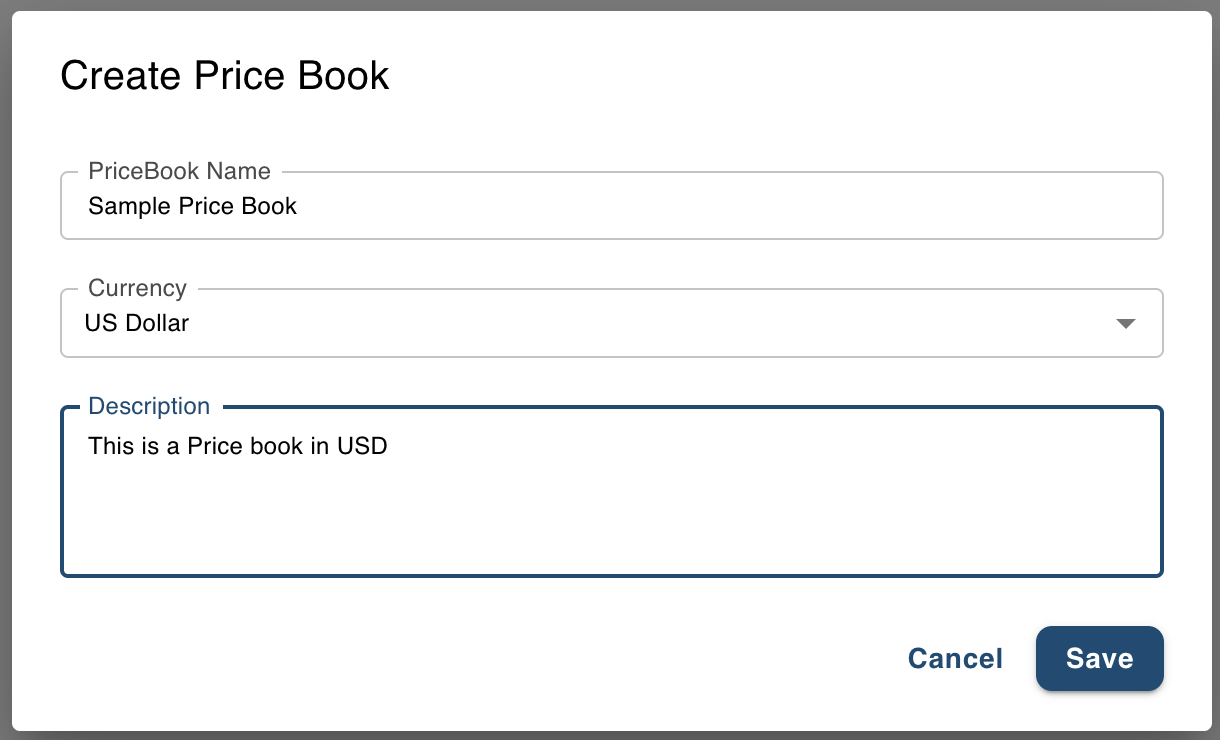
Create Price Book dialog for setting up new pricing libraries
Your new Price Book now appears in the list, ready for adding items.
Opening a Price Book
When you click a Price Book, you will see:
- The Price Book name and description
- A toolbar with actions:
- Create Item
- Search
- Edit description
- Export
- Delete items
- A table listing:
- Item Code
- Description
- Rate
- Unit
- Active status
- Created and Modified dates
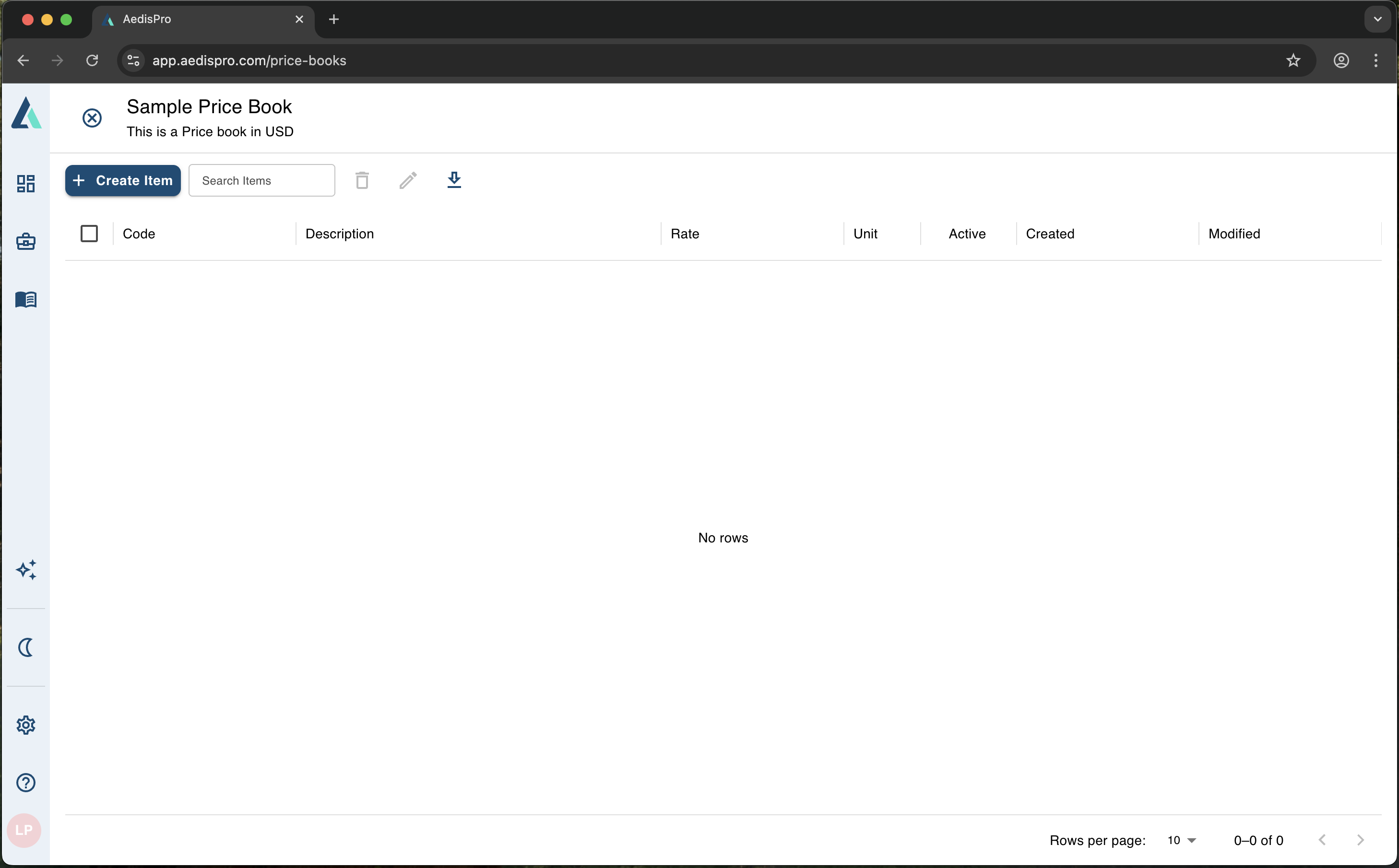
Price Book view with items table and management toolbar
Initially, the table will be empty until you add items.
Creating Price Book Items
Price Book Items are the building blocks of your pricing system. Each item consists of:
- Item Code (e.g., WP-0001, EXC-101)
- Item Name / Description
- Unit of Measurement (m, m², m³, nr, etc.)
- Work Item Breakdown:
- Labour
- Material
- Plant & Machinery
- Overheads
- Margin
- Contingency
- Tax
AedisPro supports a fully broken-down rate structure so you can model cost components exactly as needed.
Adding a New Price Book Item
- Click Create Item.
- Enter:
- Item Code
- Item Name
- Unit of Measure
- Under Work Items, click the + button to add cost components, such as:
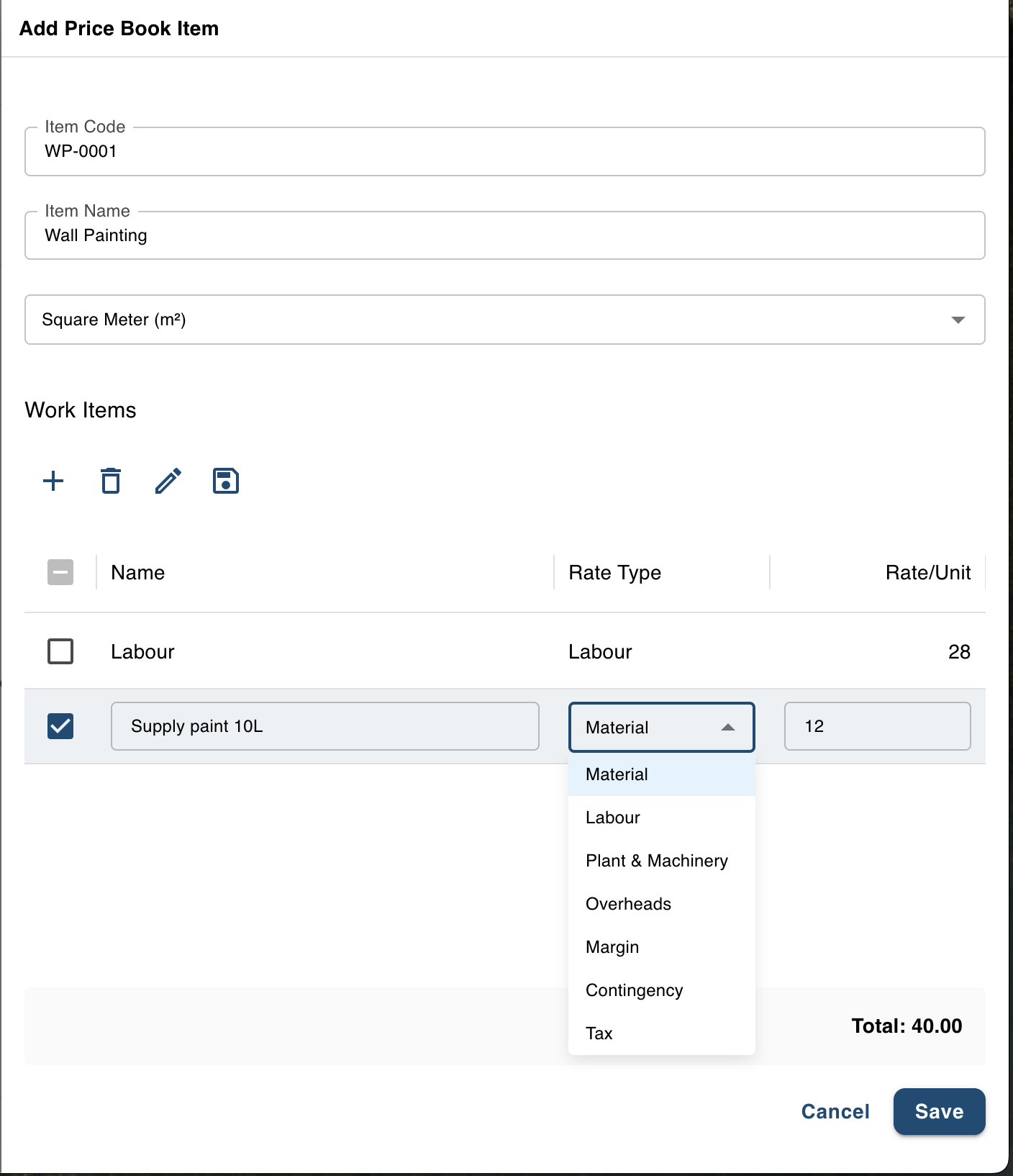
Add Price Book item dialog with detailed cost breakdown structure
| Example Component | Rate Type | Example Value |
|---|---|---|
| Labour | Labour | 28 |
| Supply paint 10L | Material | 12 |
- Choose the Rate Type from:
- Material
- Labour
- Plant & Machinery
- Overheads
- Margin
- Contingency
- Tax
- Enter the Rate per Unit.
- A real-time Total is displayed at the bottom, calculating the sum of all components.
- Click Save to add the item to your Price Book.
Editing Price Book Items
You can modify:
- Item codes
- Descriptions
- Units
- Rate components
- Active status
Use the Edit tool in the Price Book toolbar or next to each item. Inactive items remain in your Price Book but are excluded from selection during pricing.
Applying Price Books to Measurements & BOQs
Once a Price Book is created:
- Go to your Measurements (BOQ) view
- Select a BOQ item
- Click Apply Price Book Item
- Choose the Price Book and Item
AedisPro will automatically populate:
- Rate
- Unit
- Item Description (if desired)
- Amount = Quantity × Rate
This greatly reduces manual data entry and ensures pricing consistency.
Why Use Price Books?
✔ Maintain Standards
Ensure all estimators use the same pricing structure.
✔ Reduce Repetitive Work
No need to re-enter rates for every project.
✔ Increase Accuracy
Avoid manual pricing errors.
✔ Faster Tender Preparation
Apply dozens of rates instantly.
✔ Centralized Pricing Control
Update a Price Book once — apply it across all projects.
Exporting Price Books
Price Books can be exported for:
- Sharing with teams
- Offline reviewing
- Cost auditing
- Importing into external estimating systems
Exports preserve:
- Item codes
- Descriptions
- Units
- Component rates
- Total rate
Best Practices
- • Create separate Price Books for different regions (USD, GBP, AUD, LKR).
- • Use clear item codes (e.g., CON-001, FIN-104).
- • Group similar items numerically.
- • Use the breakdown structure to reflect your company's costing method.
- • Maintain a "Master Price Book" and create project-specific copies only when necessary.
Summary
Price Books in AedisPro give you a powerful, flexible way to standardize pricing across all your projects. With a full rate-breakdown engine and Excel-friendly structure, they support accurate, scalable estimating workflows.
With Price Books you can:
- ✓ Build reusable, structured cost libraries
- ✓ Apply pricing instantly to BOQ items
- ✓ Maintain consistent estimation standards
- ✓ Export your pricing for reporting or integration