Aedis AI Assistant Overview
The Aedis AI Assistant is your intelligent companion inside AedisPro, designed to streamline your workflow, enhance decision-making, and accelerate measurement and estimating tasks. It is powered by a multi-agent system, where each specialized agent performs a specific role, while the Primary Agent coordinates them to deliver accurate, context-aware responses.
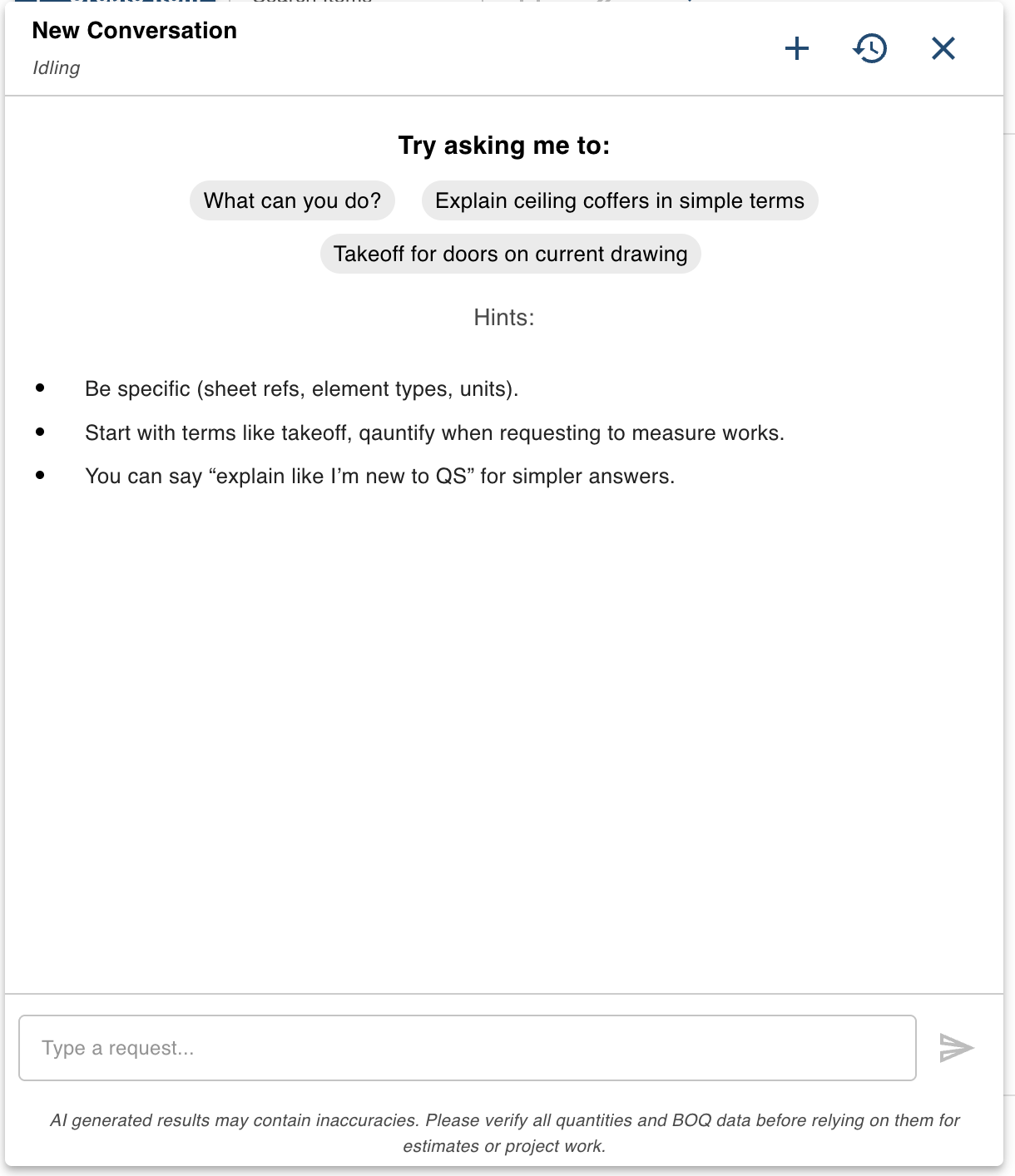
Aedis AI Assistant interface with intelligent multi-agent system for construction workflows
Whether you're performing takeoffs, clarifying construction concepts, reviewing drawings, or searching through project documents, the Aedis Assistant helps you do it faster and with fewer errors.
How the AI Assistant Helps You
The assistant can:
- Read and interpret the currently opened drawing
- Perform measurement takeoffs on request
- Answer questions about uploaded documents
- Provide explanations for construction methods or terminology
- Help you draft notes, understand plans, or explore options
- Guide you through QS/estimating processes
- Respond in varying levels of expertise (e.g., "Explain like I'm new to QS")
It behaves like a virtual Quantity Surveyor, estimator, researcher, and project assistant — all working together behind the scenes.
Multi-Agent Architecture
The Aedis Assistant is powered by multiple specialized agents, each with a dedicated responsibility. This ensures more reliable, domain-specific answers and significantly improved accuracy in complex workflows.
1. Primary Agent
The central controller that:
- • Understands your request
- • Determines which specialist agent should respond
- • Combines results from multiple agents if needed
- • Ensures responses stay relevant to your project context
This is the "brain" of the system.
2. Reader Agent
Reads and interprets the currently opened drawing or markup page.
It can:
- • Identify elements on the sheet
- • Understand context within the drawing
- • Assist with takeoff preparation
Answer questions such as:
- • "What rooms are shown on this page?"
- • "Where is the door schedule referenced?"
3. Document Agent
Searches and answers questions from all documents uploaded to your project, including:
- • PDFs
- • Drawings
- • Specifications
- • Reports
- • Schedules
- • Notes
Ask anything like:
- • "Find fire rating requirements in the project specs."
- • "What does the structural note say about slab reinforcement?"
The agent retrieves information directly from your project files.
4. Estimator Agent
Handles measurement-based tasks and takeoffs.
It can:
- • Quantify lengths, areas, counts, and volumes
- • Perform takeoff on the currently opened markup
- • Generate structured output suitable for BOQs
Interpret instructions such as:
- • "Take off the doors on this sheet."
- • "Measure the floor finish area of Room 1.05."
The Estimator Agent is your digital QS for repetitive and time-consuming measurement tasks.
5. Research Agent
Provides general construction knowledge, such as:
- • Material descriptions
- • Method of measurement rules
- • Best practices
- • Definitions and explanations
- • Code references (where publicly available)
Examples:
- • "Explain ceiling coffers in simple terms."
- • "What is formwork striking time for concrete?"
This makes it easier for new QS users or trainees to understand concepts.
How to Interact with the Assistant
Your AI Assistant displays helpful prompts such as:
- • "What can you do?"
- • "Explain ceiling coffers in simple terms"
- • "Takeoff for doors on current drawing"
You can also improve results by being specific:
- Mention sheet references
- Include element types
- Specify units
- Use "takeoff" or "quantify" to request measurements
The assistant adapts to your workflow and expertise level.
Important Notice
AI-generated results may contain inaccuracies. Always verify quantities, BOQ entries, and pricing before using them for estimates or project work.
The assistant accelerates your process, but your professional judgment remains essential.
Summary
The Aedis AI Assistant is a powerful multi-agent system designed to:
- ✓ Read drawings
- ✓ Search documents
- ✓ Perform takeoffs
- ✓ Answer technical queries
- ✓ Assist both experts and beginners
Its agent-oriented design allows it to deliver precise, contextual, and project-aware responses—helping you work faster, smarter, and with greater confidence.